
| Number: | 201912311025436555 |
|---|---|
| Model: | LUT215 |
| Size: | 21.5" |
| Introduction: |
Screen Size: 21.5" IPS
Resolution: 1920x1080 pixels Aspect ratio: 16:9 Brightness: 250cd/m² |
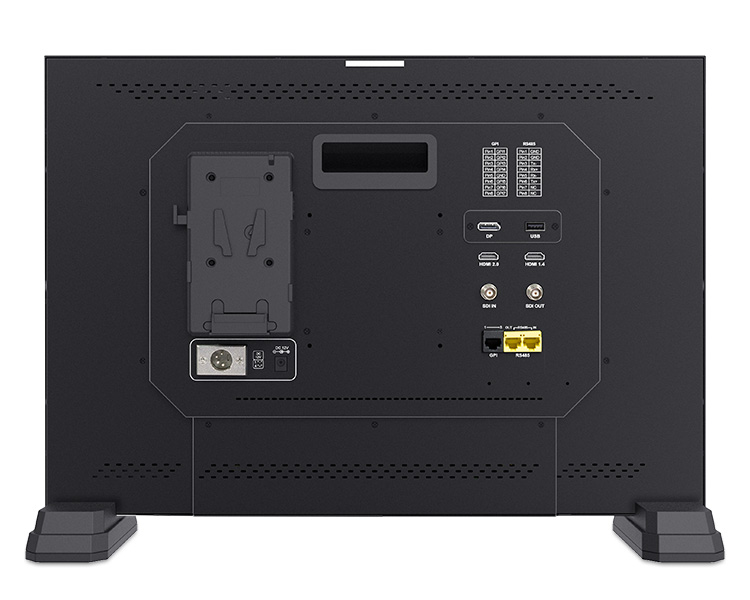
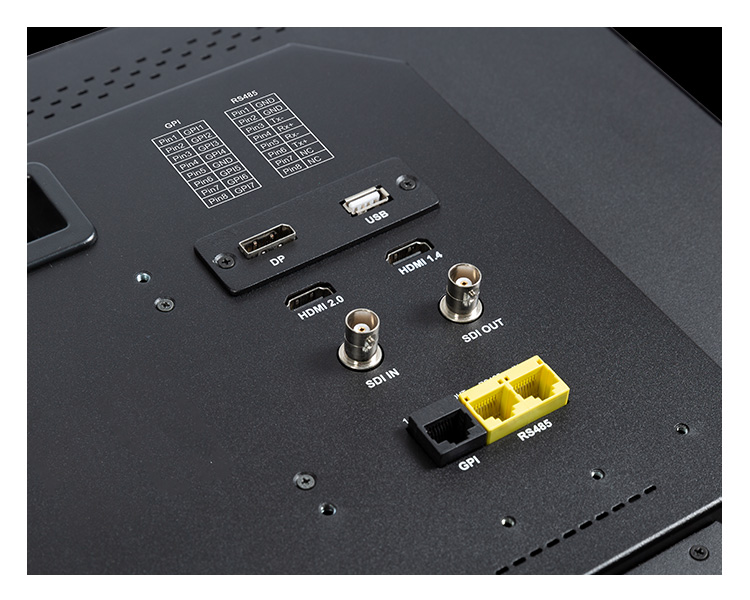
| Input: | 3G-SDI, HDMI2.0, HDMI1.4, RS485, GPI, DP (DisplayPort), USB |
| Output: | 3G-SDI, RS485, Stereo Headphone, Speaker(built-in) |
| DM: | |
| Download: | |

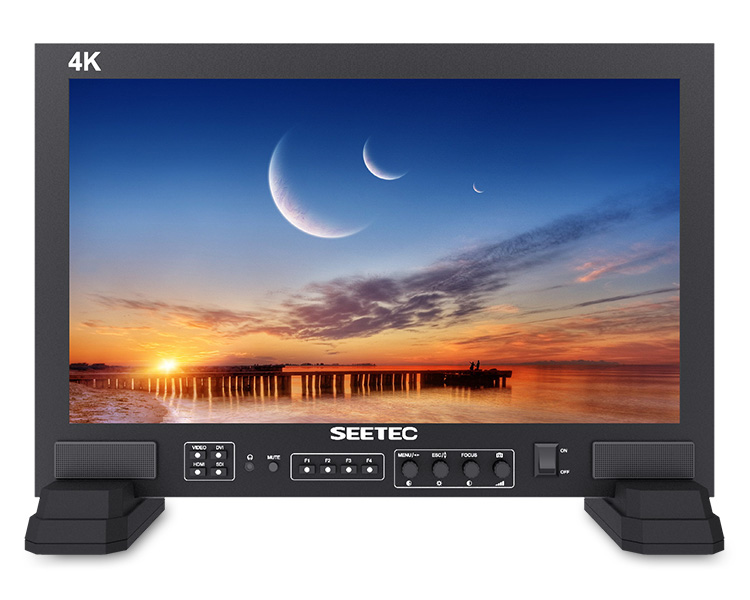
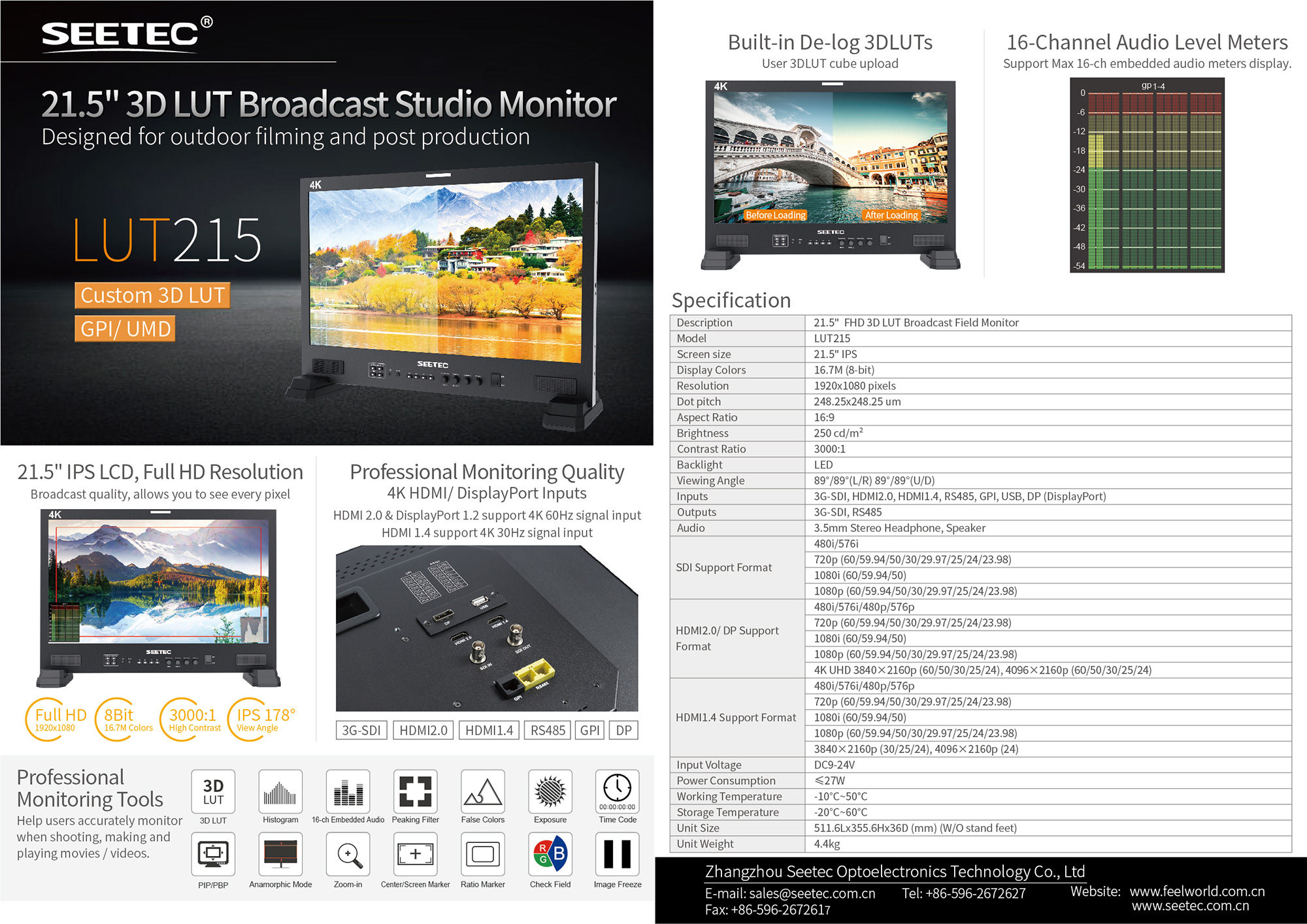
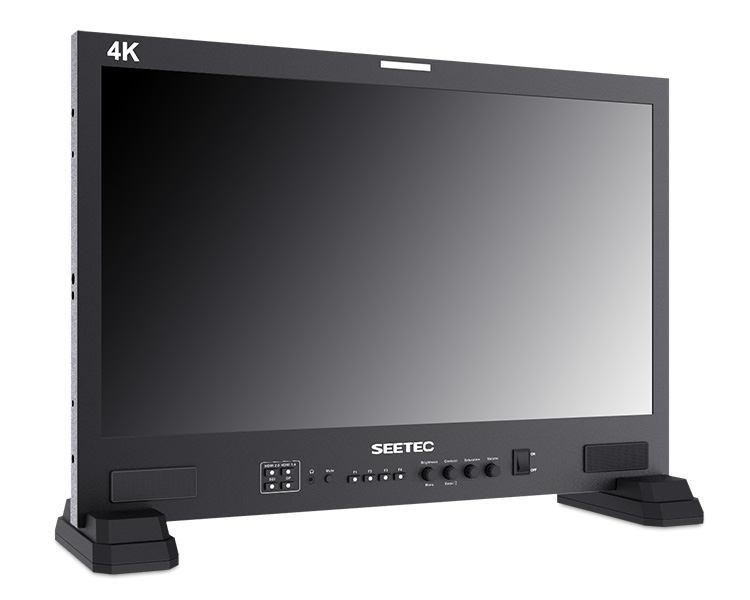
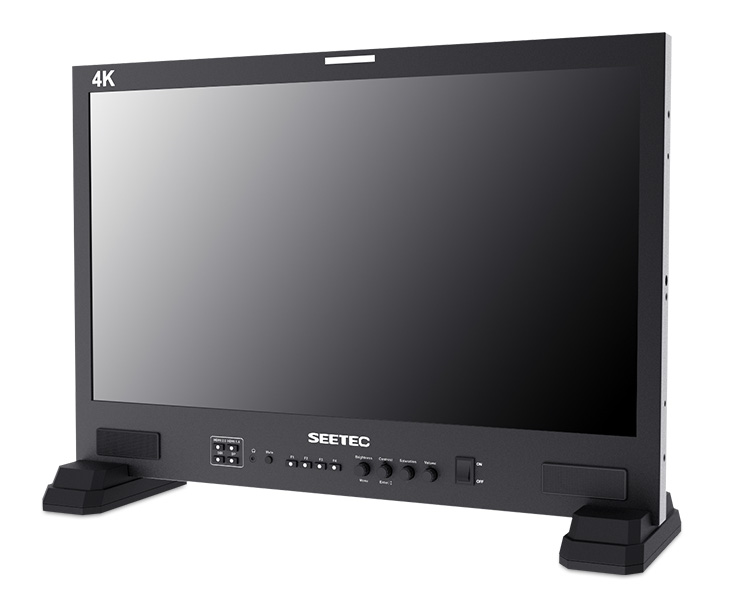
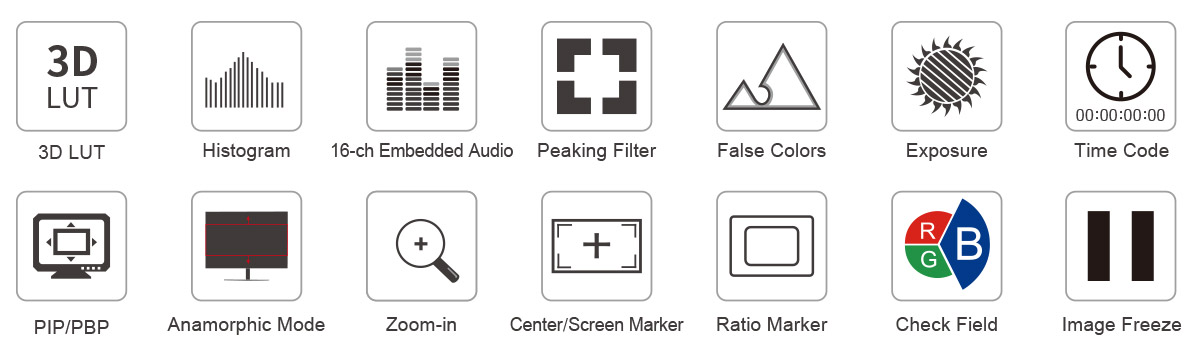
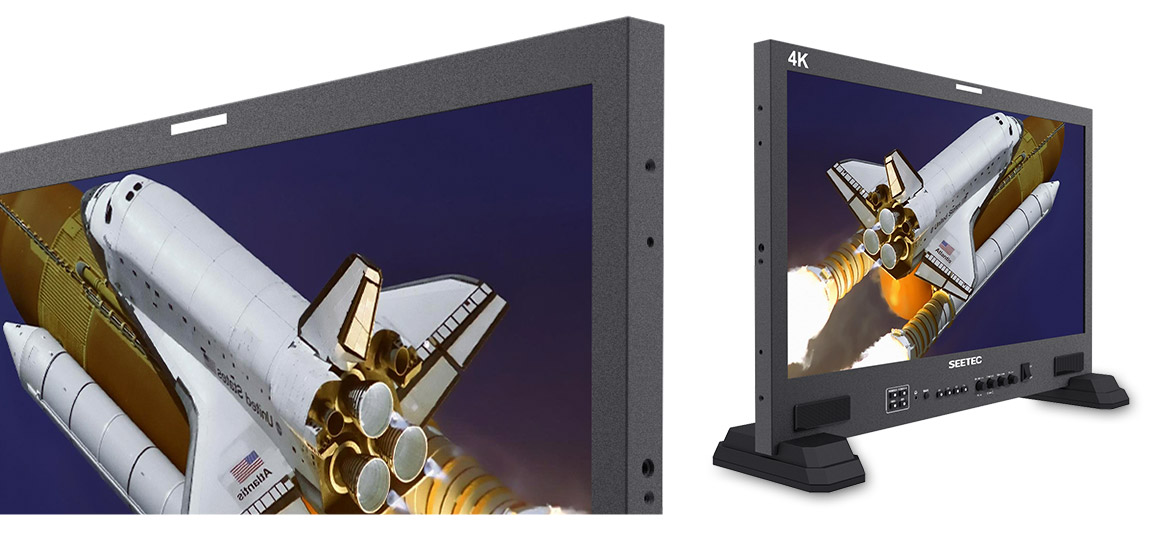
SEETEC LUT215 full hd broadcast monitor with 4K HDMI for native display of up to 2160p60. The machined metal design includes a built in control panel for using features such as the built in 3D LUTs, histogram, 16-ch embedded audio meters, focus assist, false colors, over exposure, time code, picture in picture, anamorphic mode, image zoom, center marker, safety marker, ratio marker, check field, image freeze adjustable Gamma selection and more, either from the front panel or via GPI control!
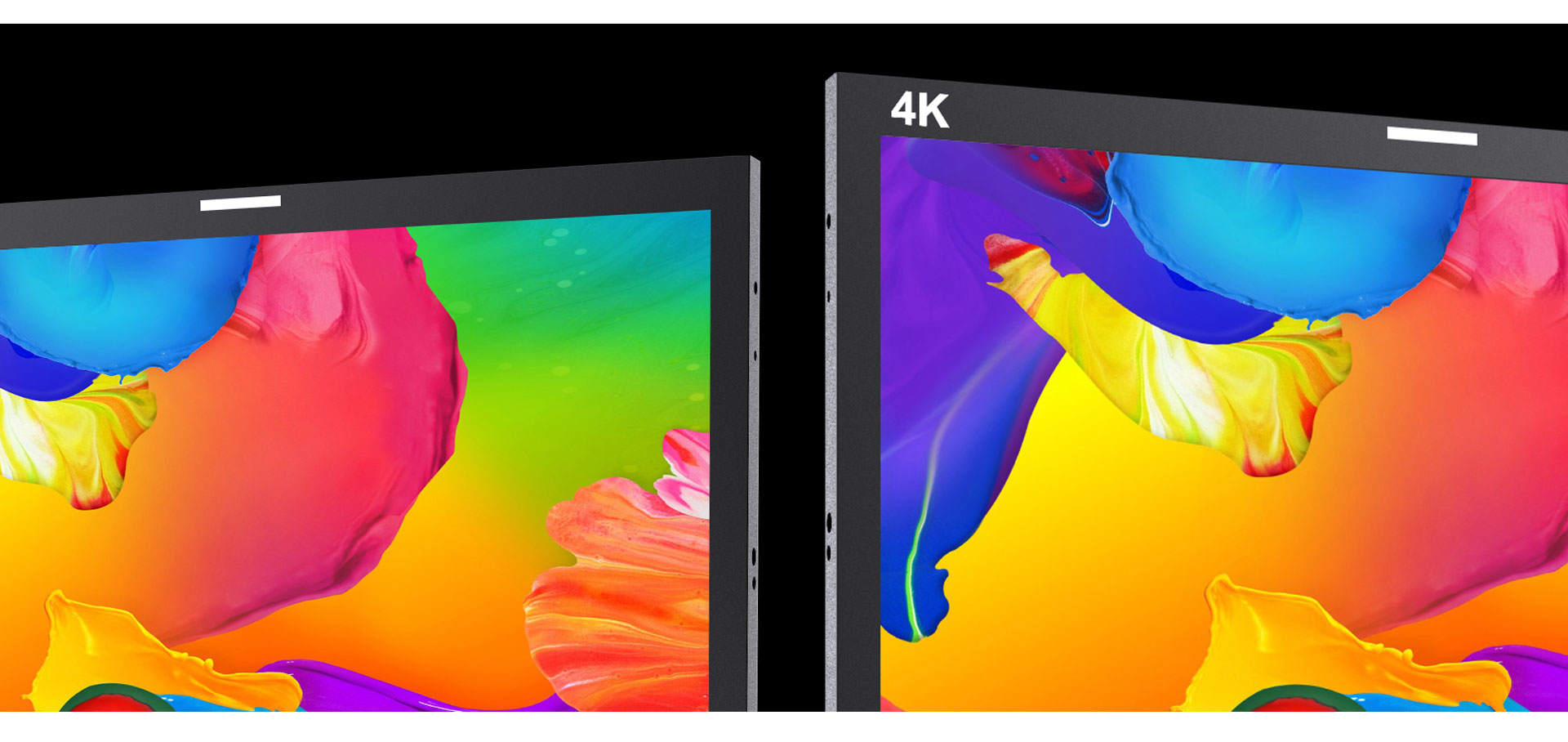
Broadcast quality, allows you to see every pixel
The SEETEC LUT215 equipped with a 21.5 inch IPS LCD panel. The IPS LCD panel itself has a resolution of 1920 x 1080, a contrast ratio of 3000:1, and an LED backlight with a brightness of 250cd/m², giving you an accurate reproduction of video. It combines a wide 178° viewing angle in both horizontal and vertical directions. Easy viewing is ensured by reducing color changes due to the viewing angle.

Use Rec.709 color standard
SEETEC uses the professional Rec.709 HD color standard, and uses the color calibration technology, with the professional instrument calibration at the factory, it can achieve monitor calibration efficiently and get accurate color reproduction easily, do not distort the color, show the real image when you shooting video.
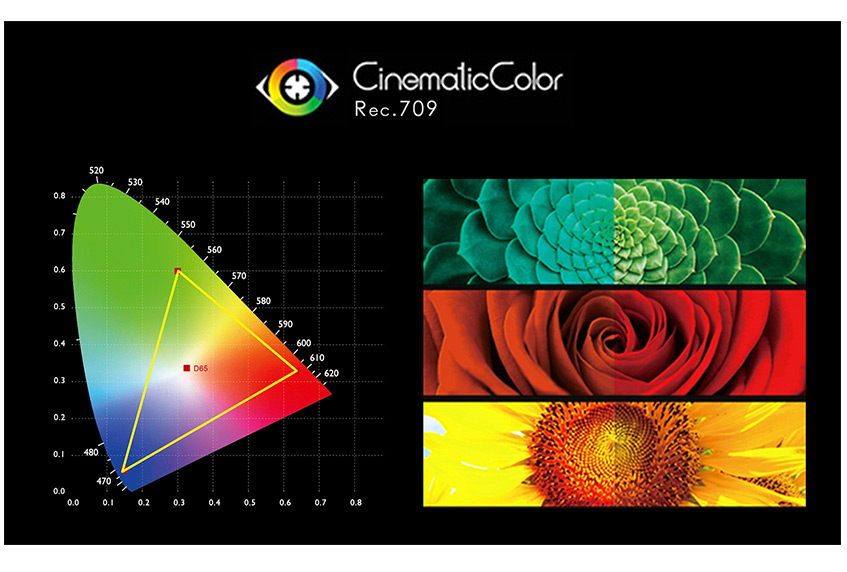
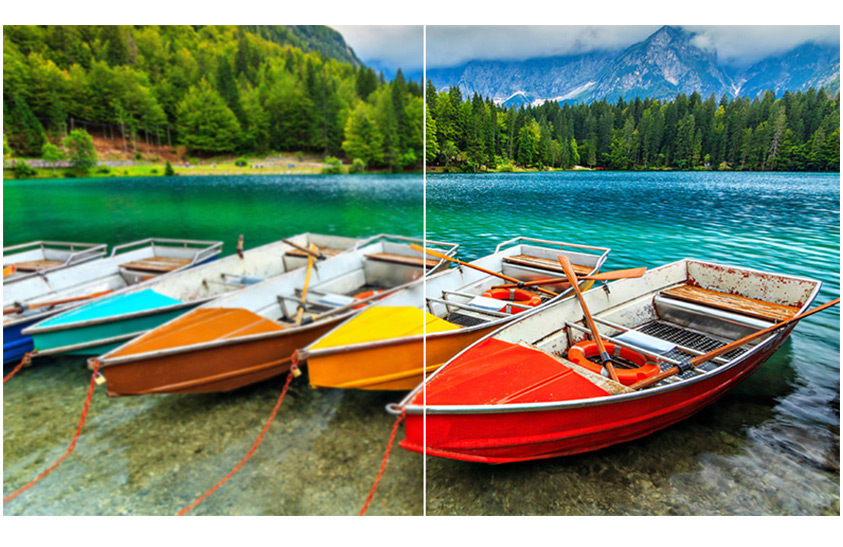
SEETEC monitor support ITU standards and HD video Rec.709 standard consistent color space, advanced image processing technology, so that the image clearly presented, the color is extremely natural, to ensure accurate color reproduction, to reproduce the physical nature of shooting, enabling users to accurately evaluate the quality of various input video signals.
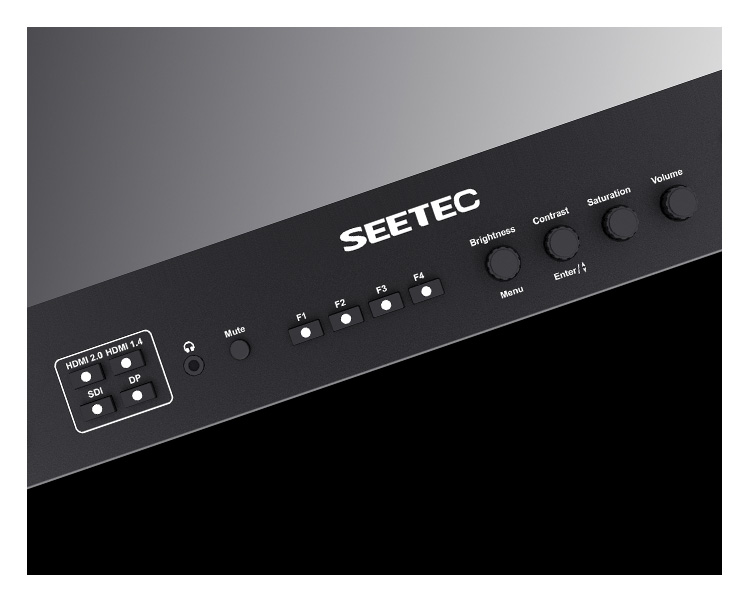
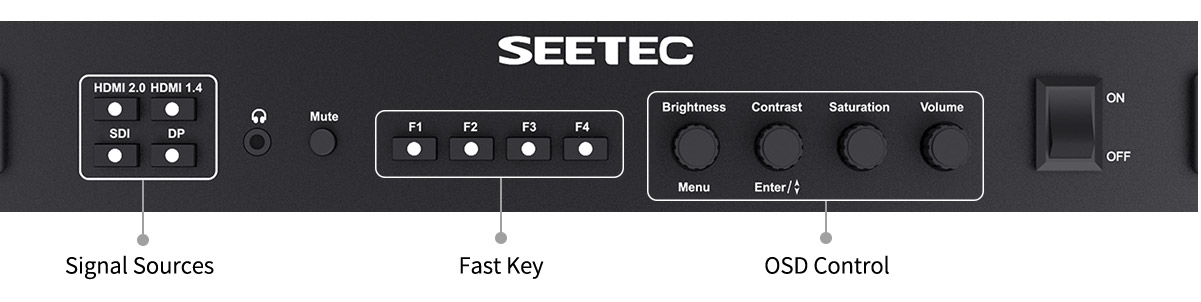
When you are busy at the shooting scene, you need to be able to easily control the equipment, and the LUT215 can meet your needs. It can switch between one-button sources, custom shortcuts, and quickly adjust brightness, contrast, saturation, and volume to make it easier to shoot. And the button with the night light technology, let you know the current input signal and the shortcut keys used.
SEETEC LUT215 is an incredibly high quality monitor that's versatile enough to be used from the broadcast facility, mobile live production or on set for feature film production! The monitor is equipped with 3G-SDI, HDMI2.0, HDMI1.4, RS485, GPI and DP interfaces, suitable for transmission of different signal formats.


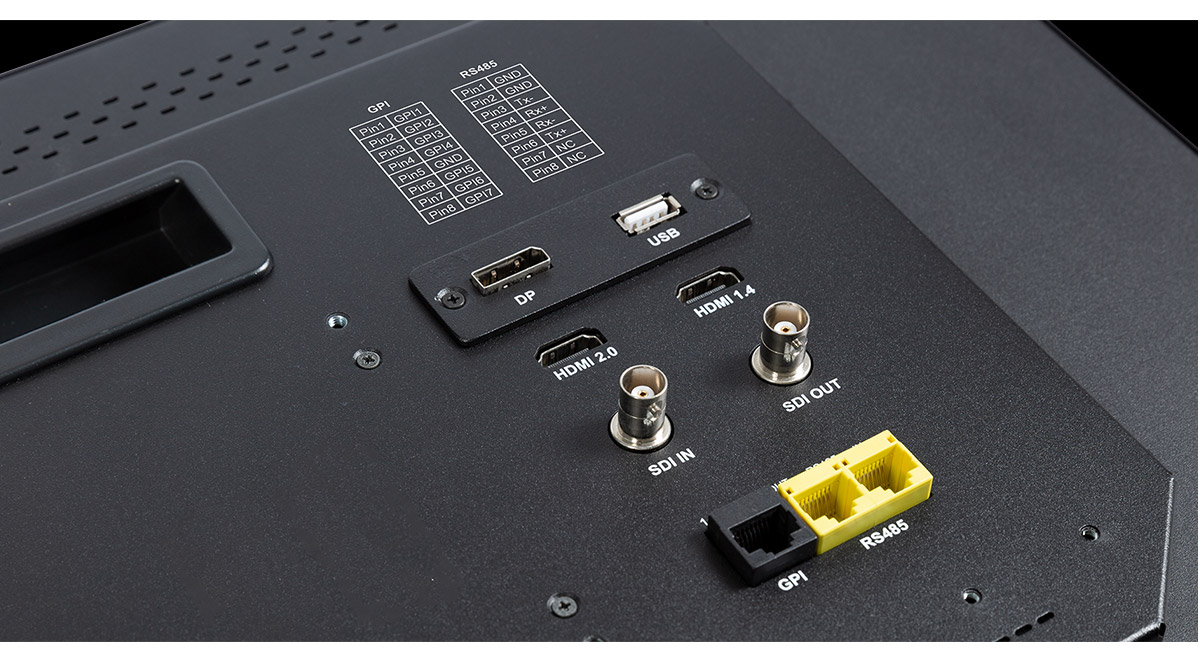
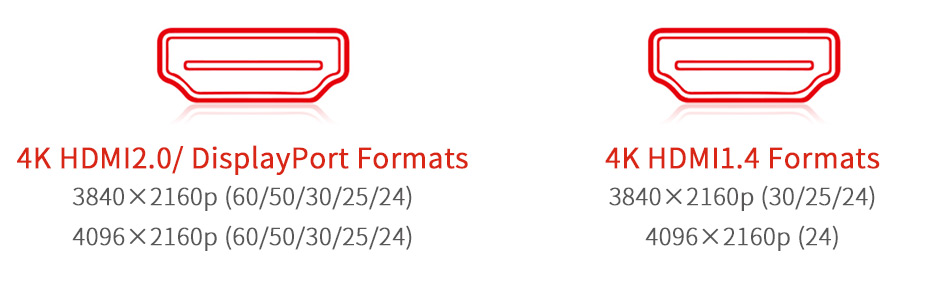
HDMI 2.0 & DisplayPort 1.2 support 4K 60Hz signal input.
HDMI 1.4 support 4K 30Hz signal input.
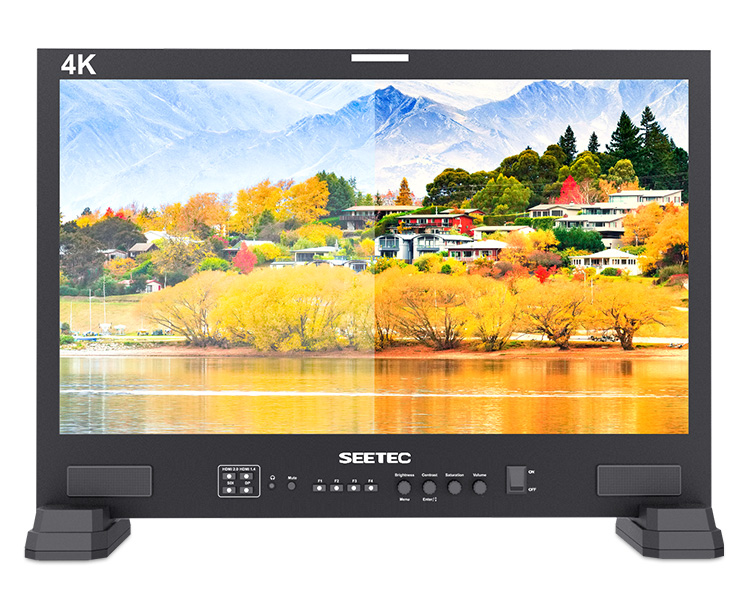
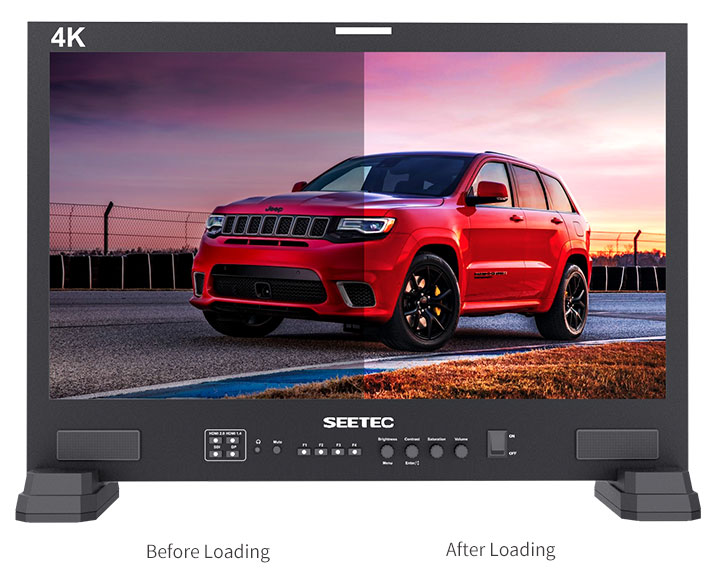
User 3DLUT cube upload
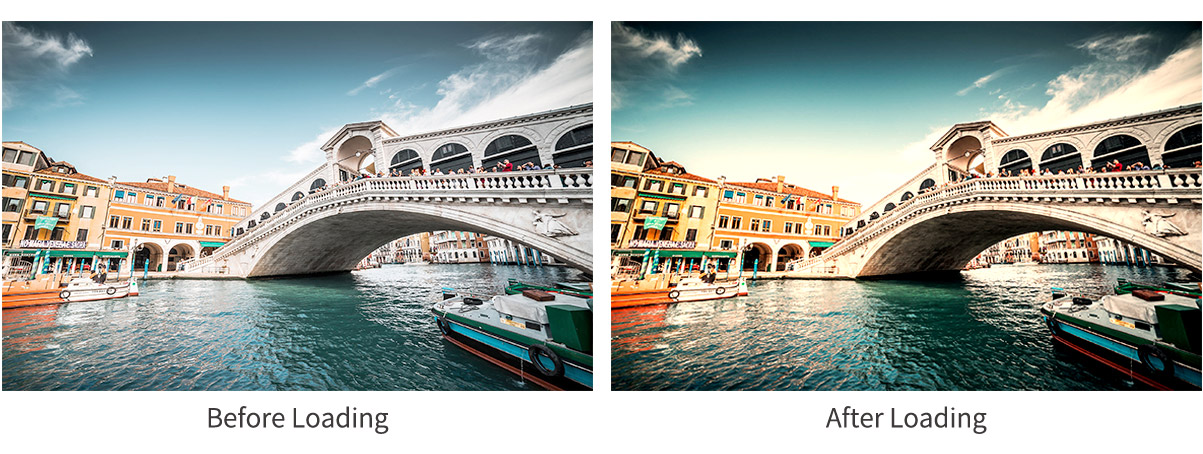
The monitor has built-in multi camera logs to Rec 709 conversion 3DLUTs, including C-log standard, C-log full, S-log2, S-log3, BMD-4Klog.
Support user 3DLUT cube files (support 17x17x17, 33x33x33, 65x65x65) to upload by USB, which is convenient for color creation during post-production monitoring. User can store up to 16 instantly selectable 3D LUTs.
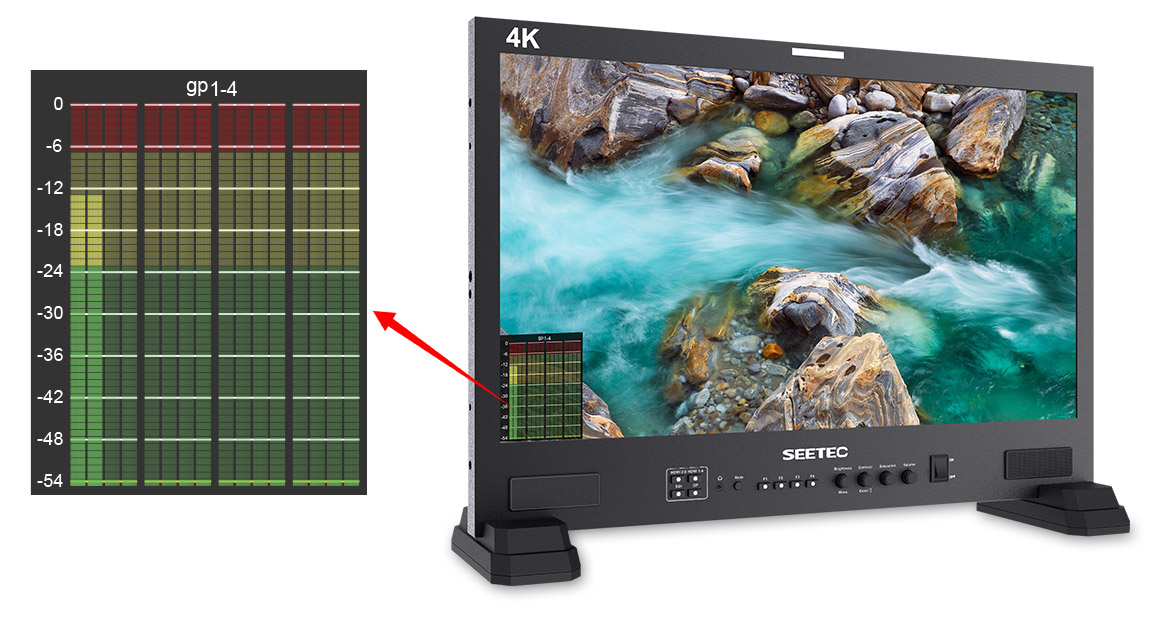
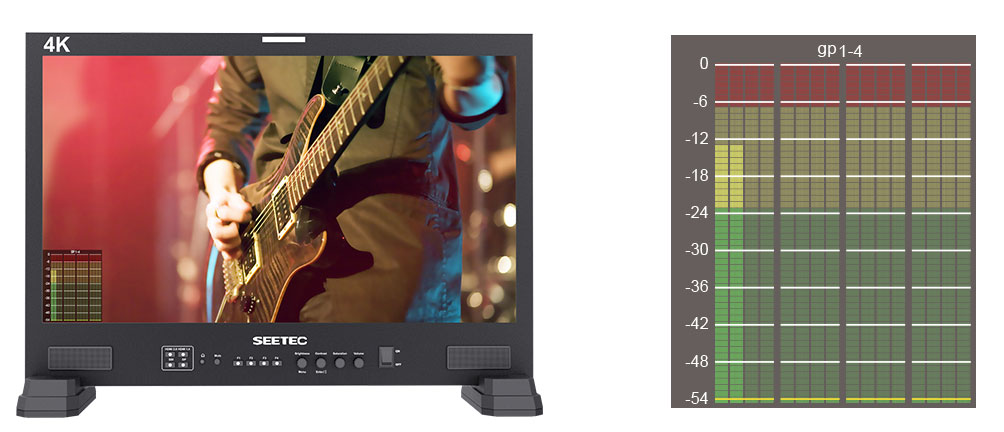
The monitor can de-embed audio from SDI and HDMI. Support select any 2 channels audio to output via speaker or 3.5mm headphone jack. Under SDI audio, it supports max 16-ch embedded audio meters display, and you can select to display only 2 channels, 4 channels, 8 channels, and full 16 channels. Under HDMI audio, only 2 channels audio displays are supported.
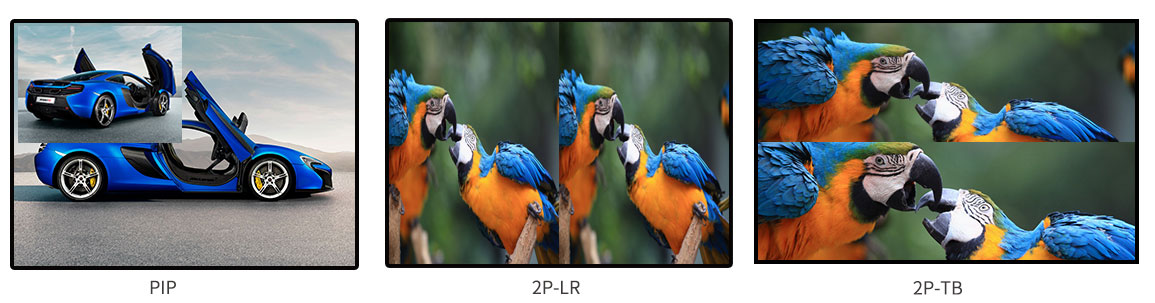
PIP/ PBP Modes
The picture-in-picture function can monitor two signals at the same time, which can be displayed simultaneously for different formats, resolutions, frame rates, or even different input types for comparison. And can display a loading LUT effect at the same time. You can adjust the picture-in-picture size, horizontal and vertical position, and rotate the picture.

TSL 3.1/4.0 and Image Video Protocol
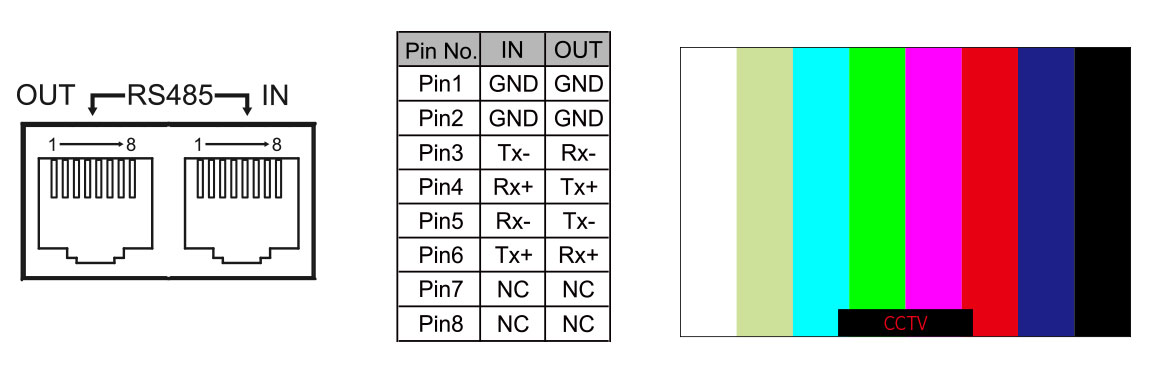
LUT215 supports UMD and Text-Tally display of TSL 3.1/4.0 and Image Video protocol, with 0-126 TSL address selection, and Max 16 letters displayed. The UMD inputs via RS485 port and outputs via RS485 port.
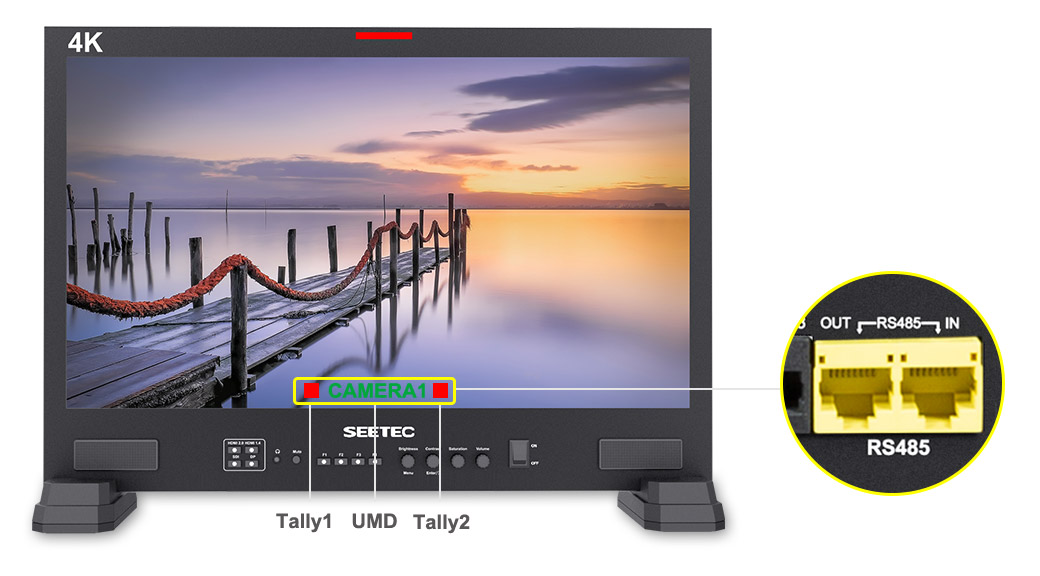
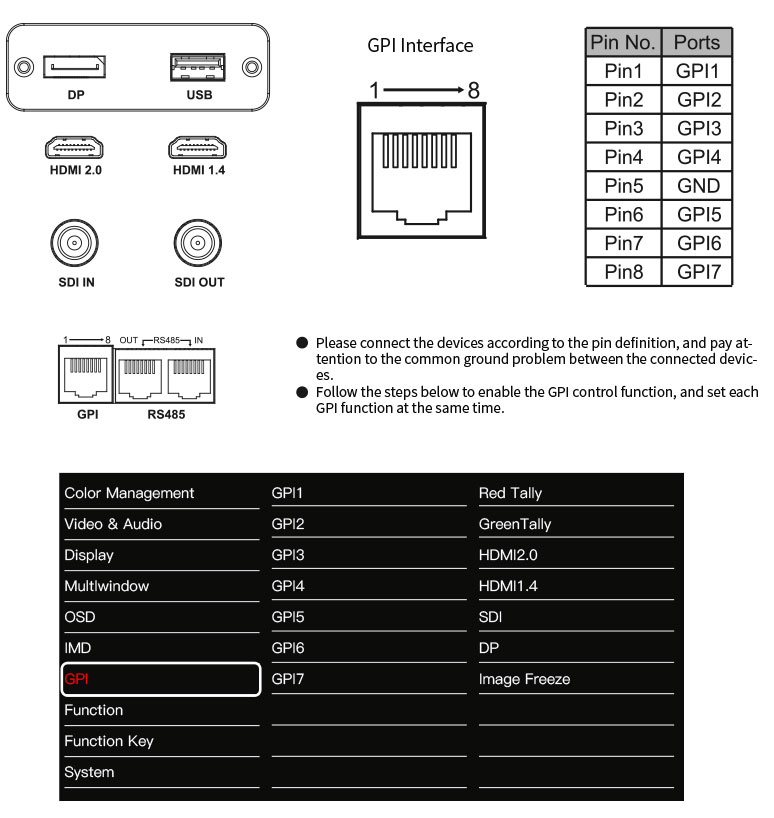
GPI controls Red Tally and Green Tally, which not only can remind the photographer to enter the recording state, but also appreciate the convenience of TV shooting quasi-professional technology in your creation.
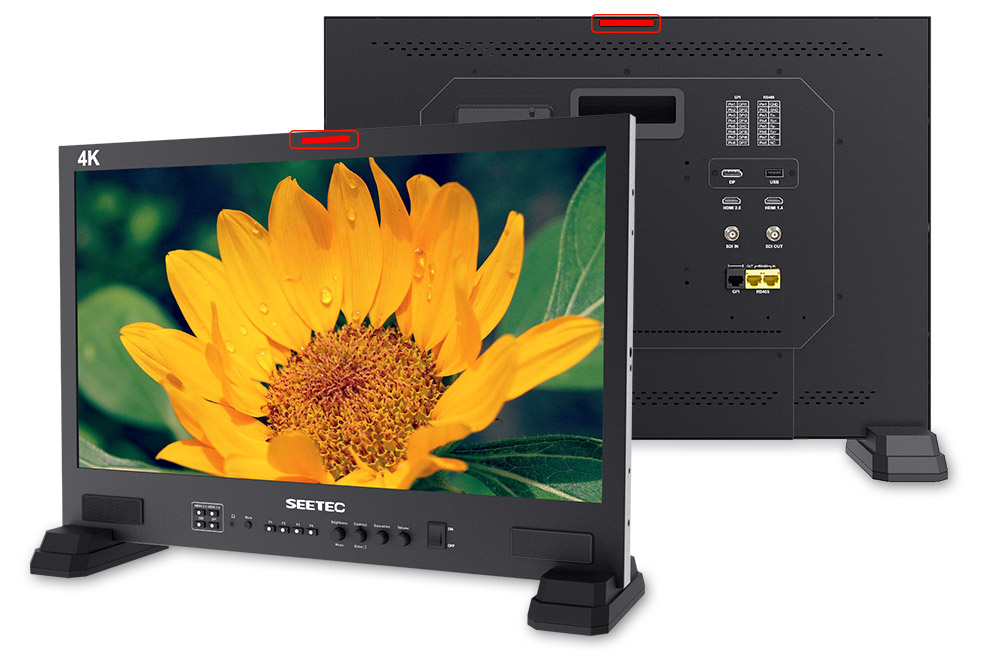
Monitoring anywhere you need it!
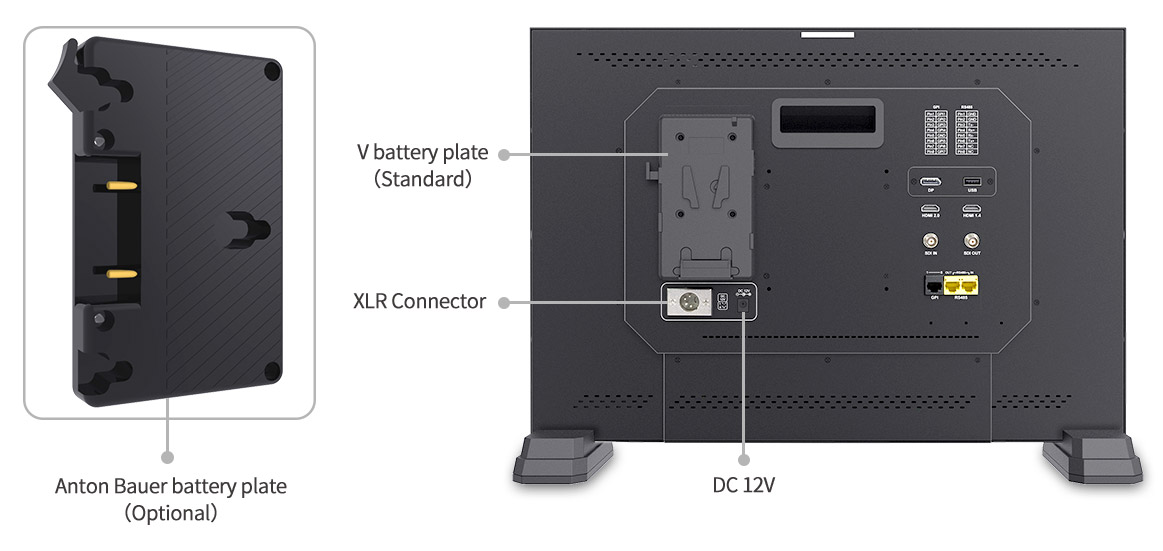
We've made it easy to power the monitor. The LUT215 can be powered in two ways: with an DC adapter or lithium batteries. The LUT215 has a flexible battery system that supports V battery plate (standard), Anton Bauer battery plate of your choice.
Unique design for high efficiency
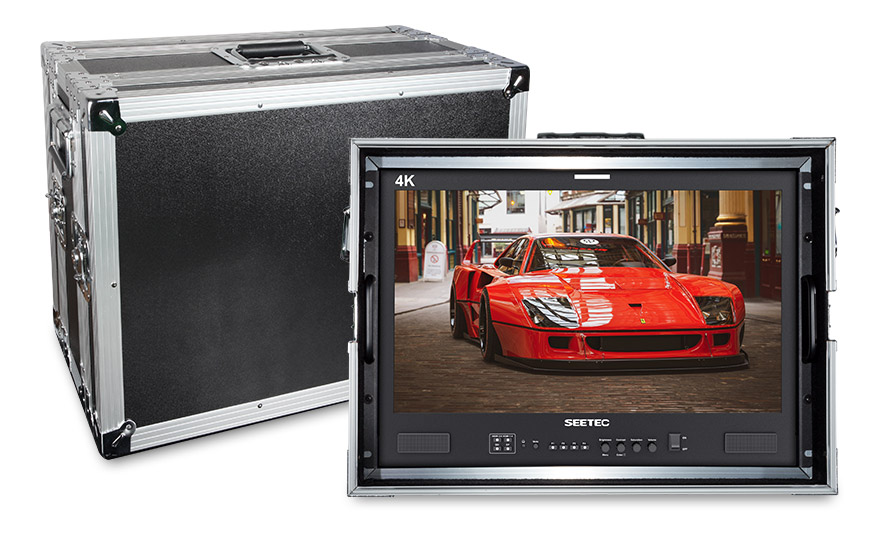
Optional assembly of portable aluminum case, can effectively protect the monitor and easy to carry and transport, suitable for harsh shooting environment. Time and Costs are important for film crews. This becomes more obvious if there are frequent scene changes during production. The SEETEC LUT215 is based on how monitors are being used by film crews. Whether packing down or setting up a simplified design makes this monitor ready for use quickly. There are no complex setup processes to go through.
Machined aluminum design that's built to last! The full metal shell not only make the product more solid and durable, but also solve the problem of heat dissipation.
*Built-in Multi camera Delog LUTs
*User 3DLUTs upload via USB (Store up to 16)
*Support GPI control
*Support dynamic IMD, support TSL 3.1/4.0 and IMAGE VIDEO protocol
*16-ch embedded audio meters display
*Histogram
*Focus Assist (Red, Green, Blue three colors optional highlight over parts of the image in focus)
*False Colors
*Over Exposure (Exposure IRE Adjustable)
*Timecode Display (LTC & VITC)
*Picture in Picture (Adjustable Horizontal or Vertical Wipe Position)
*Over Scan
*Anamorphic Mode (1.3x, 2.0x, 2.0x mag, User-defined adjustment: 1.20X~2.00X)
*Custom Zoom (0~100)
*Pixel to Pixel
*Center Marker
*Safety Marker (80%, 85%, 90%, 93%, 96%)
*Ratio Marker (4:3, 13:9, 14:9, 15:9, 16:9, 1.85:1, 2.35:1, 1:1)
*Marker Color (Red, Green, Blue, Black, White)
*Aspect Ratio (Auto, 4:3, 16:9, Full Screen)
*Check Field (Colorless, Red, Green, Blue)
*Image Freeze
*Window Rotation (90°, 180°, 270°, H-Mirror, V-Mirror)
*Adjustable Gamma Selection (1.8, 2, 2.2, 2.4, 2.6, SRGB, ITUBT.1886)
*Selectable Color Temperature Presets
User 3DLUT cube upload
The monitor has built-in multi camera logs to Rec 709 conversion 3DLUTs, including C-log standard, C-log full, S-log2, S-log3, BMD-4Klog.
Support user 3DLUT cube files (support 17x17x17, 33x33x33, 65x65x65) to upload by USB, which is convenient for color creation during post-production monitoring. User can store up to 16 instantly selectable 3D LUTs.
GPI Control
GPI Setting Options: Red Tally, Green Tally, HDMI2.0, HDMI1.4, SDI, DP, Center Marker, safety Marker, Ratio Marker, Check Field, Image Freeze, ZoomNx Switch, False Color, Focus Assist, Over Exposure, Histogram, Audio Meters, Time Code
Dynamic / Static UMD / IMD
By embedding the signal name in the SDI signal by the dynamic source name server (such as CCTV, etc.), the monitor can de-embed and mark which channel the current signal is.
Uses: Provide source name display for monitors in the broadcast area, director area, technical area, lighting area, and audio area for multi-channel OB vans or TV stations.
16-Channel Audio Level Meters
Support Max 16-ch embedded audio meters display. Support select any 2 channels audio to output via speaker or 3.5mm headphone jack. Under SDI audio, it supports max 16-ch embedded audio meters display, and you can select to display only 2 channels, 4 channels, 8 channels, and full 16 channels. Under HDMI audio, only 2 channels audio displays are supported.
PIP/ PBP Modes
The picture-in-picture function can monitor two signals at the same time, which can be displayed simultaneously for different formats, resolutions, frame rates, or even different input types for comparison. And can display a loading LUT effect at the same time. You can adjust the picture-in-picture size, horizontal and vertical position, and rotate the picture.
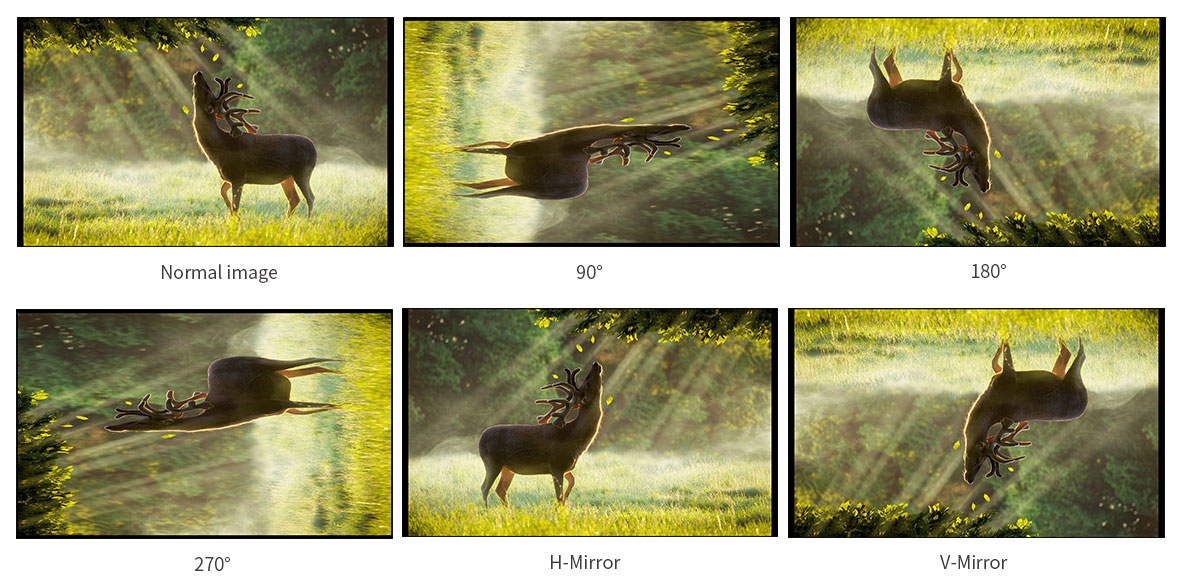
Window Rotation
The screen rotation can flip the image in 90 °, 180 °, 270 °, H-Mirror, and V-Mirror modes.
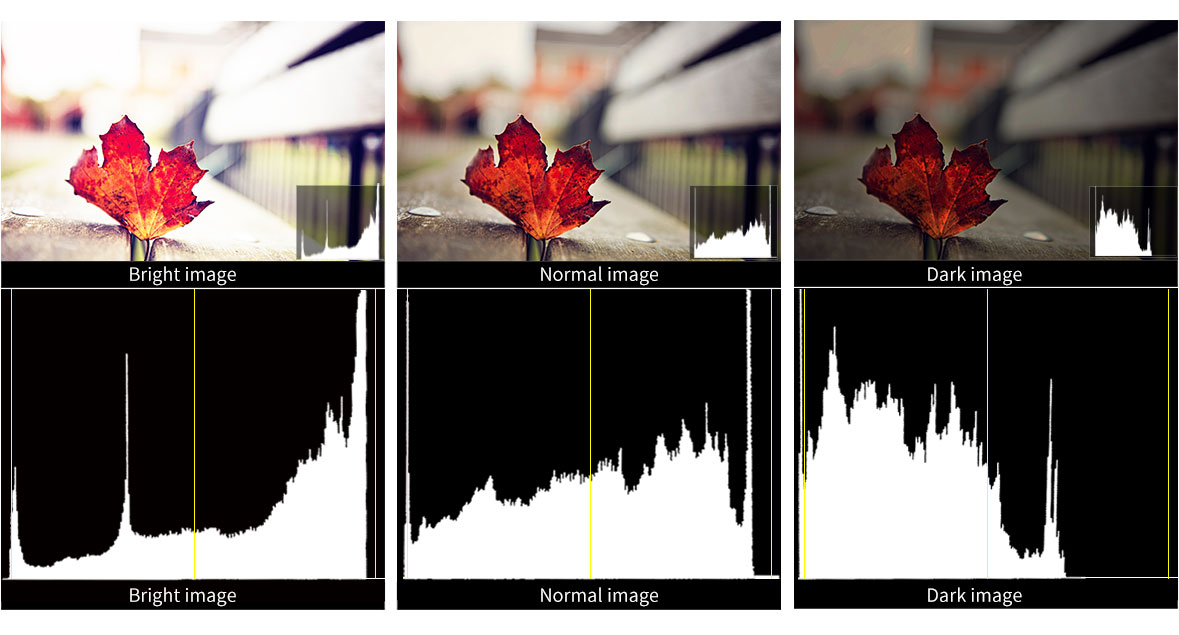
Brightness Histogram
The Brightness Histogram is a quantitative tool to check the picture brightness.The feature shows the distribution of brightness in an image as graph of brightness along the horizontal axis (Left: Dark, Right: Bright)and a stack of the number of pixels at each level of brightness along the vertical axis.
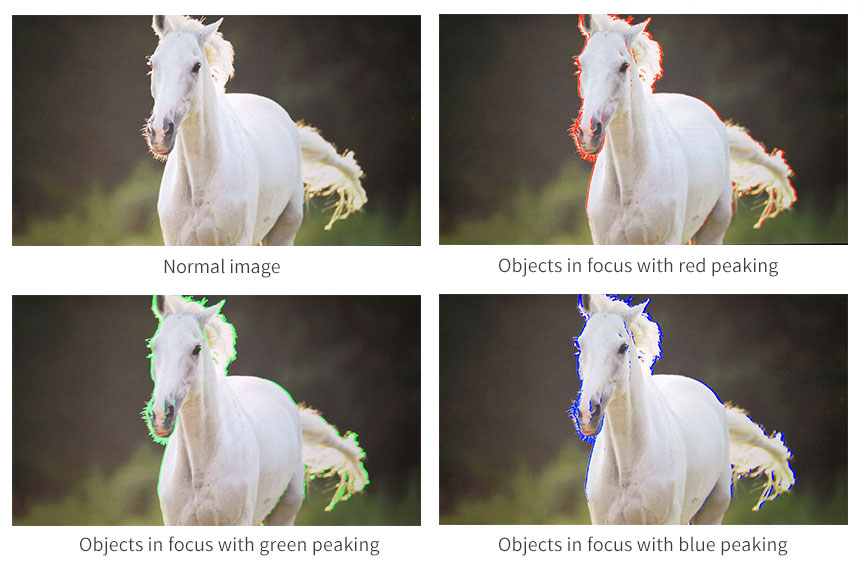
Peaking Focus Assist
The Peaking Filter is used to aid the camera operator in obtaining the sharpest possible picture. When activated, the internal processor will display a colored highlight on the screen where sharp edges appear. You can switch the peaking color between red, green, blue according to different tone of the subject.

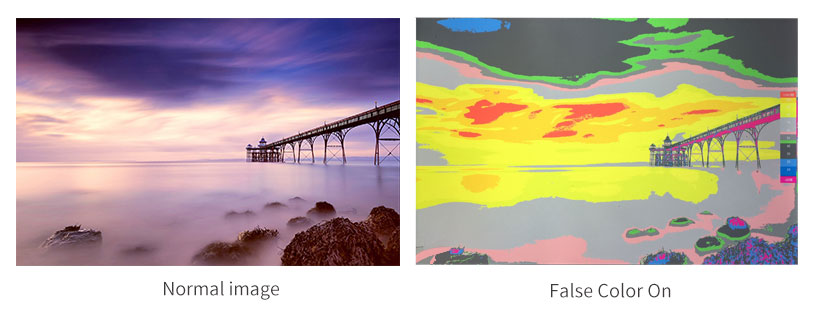
False Color
The False Color filter is used to aid in the setting of camera exposure. As the camera Iris is adjusted, elements of the image will change color based on the luminance or brightness values. This enables proper exposure to be achieved without the use of costly, complicated external test equipment.

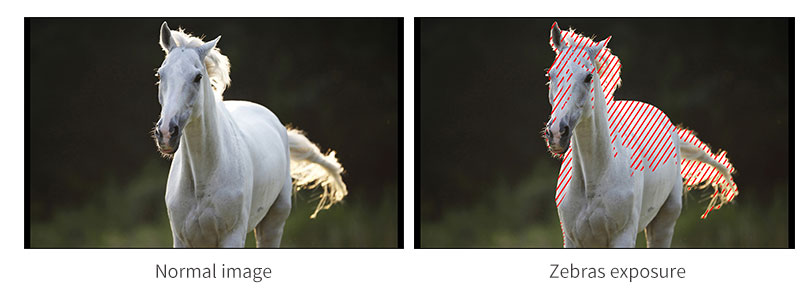
Exposure (zebras)
The Exposure is used to assist in exposure adjustment in the mode of Zebra Pattern. It is considered overexposed and displays the moving warning lines onto the over exposed areas. Zebra value that can be adjusted.

Check Field
Check Field is an assistant function to adjust camera color settings. Under the check field mode, you can use red, green, blue or mono pixels to generate the image, because hue and saturation can be adjusted more quickly and accurately in this environment.


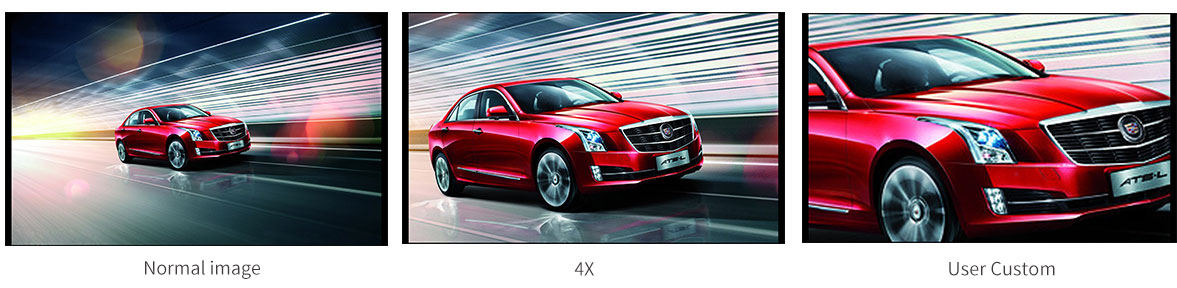
Zoom In (4X, User Custom)
Image zoom is to enlarge the image to 4X high-quality close-up, or you can customize left / right / up / down magnification (0 ~ 100).
Anamorphic Mode (1.3x, 2.0x, 2.0x mag, User Custom)
You can choose 1.3x, 2.0x, 2.0x mag, User-defined adjustment: 1.20x~2.00x. Built-in selection of no squeeze, 1.3x or 2.0x allows you to use anamorphic lenses or adapters and see the image unsqueezed, even if your camera does not de-squeeze in camera. A 2.0x mag mode, magnifies the center of your image so you can check the focus of your scaled image.


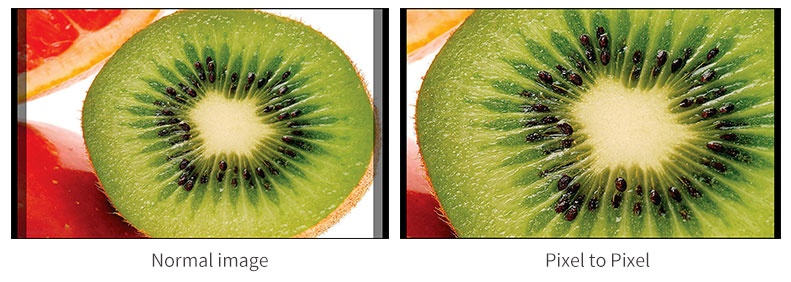
Pixel to Pixel
Enable the filmmaker to check the image from the 1:1 signal source without scaling.This feature is essential for capturing optimum detail.

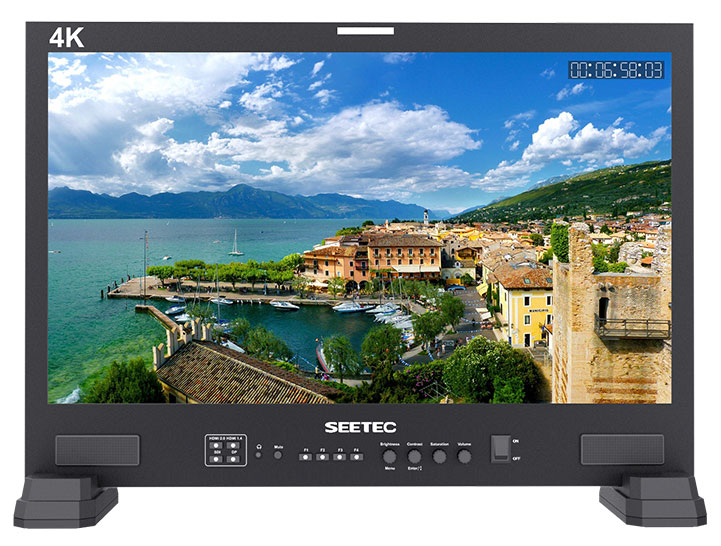
Time Code
Shows the VITC or LTC time code of the SDI signal.
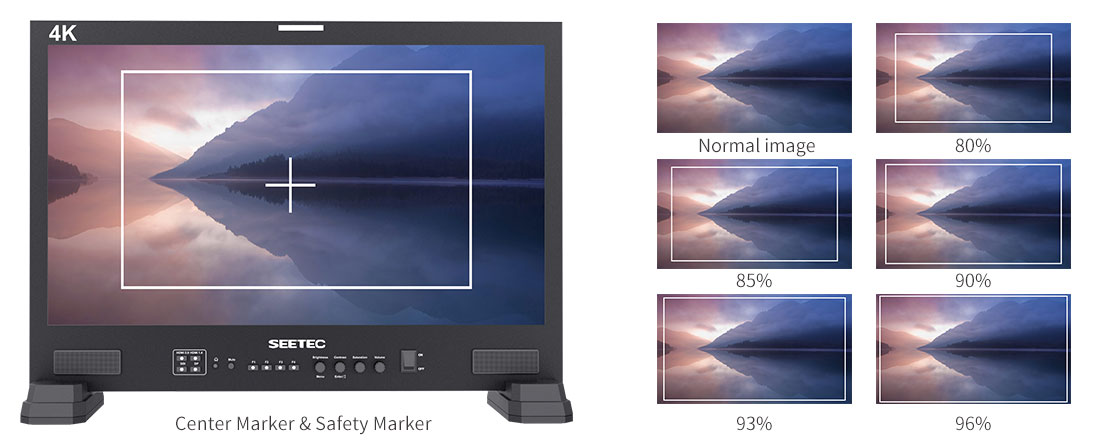
Center Marker & Safety Marker
Safety Marker for View Finding and Composition (80%, 85%, 90%, 93%, 96%). You can switch the Mark color between Red, Green, Blue, White and Black according to different tone of the subject.
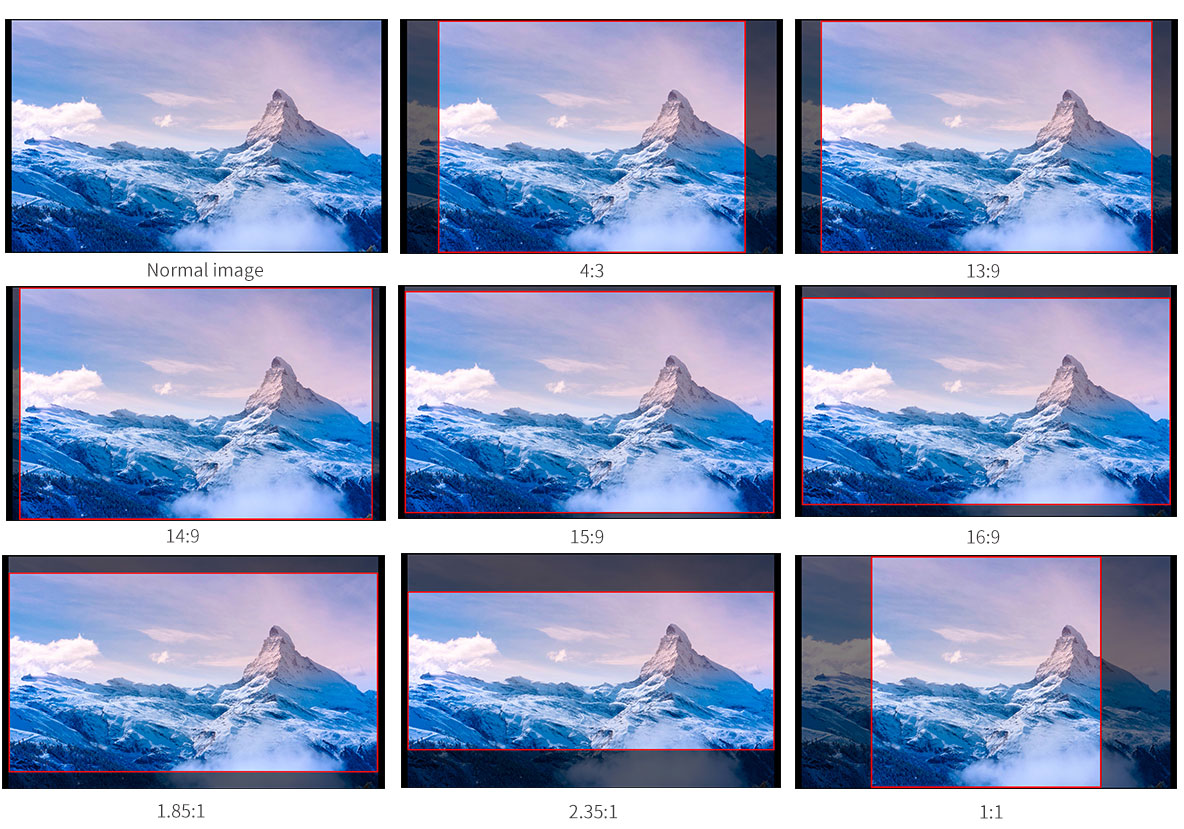
Ratio Marker
(4:3, 13:9, 14:9, 15:9, 16:9, 1.85:1, 2.35:1, 1:1). Frame blanking zone includes 6 Levels, from 0-6 (Transparent to Black). You can switch the Mark color between red, green, blue, white and black according to different tone of the subject. Marking line width can be adjusted as needed (1-7 adjustable).

| Model | LUT215 |
| Screen Size | 21.5" IPS |
| Color Depth | 16.7M |
| Resolution | 1920×1080 pixels |
| Dot pitch | 248.25x248.25 um |
| Aspect Ratio | 16:9 |
| Brightness | 250cd/m² |
| Contrast Ratio | 3000:1 |
| Backlight | LED |
| Viewing Angle | 89°/89°(L/R) 89°/89°(U/D) |
| 1 X BNC | 3G-SDI |
| 1 X HDMI | HDMI2.0 |
| 1 X HDMI | HDMI1.4 |
| 1 X RS485 | RS485 |
| 1 X GPI | GPI |
| 1 X DP | DP (DisplayPort) |
| 1 X USB | USB |
| 1 X BNC | 3G-SDI |
| 1 X RS485 | RS485 |
| Audio | Stereo Headphone, Speaker |
| 480i/576i |
| 720p (60/59.94/50/30/29.97/25/24/23.98) |
| 1080i (60/59.94/50) |
| 1080p (60/59.94/50/30/29.97/25/24/23.98) |
| 480i/576i/480p/576p |
| 720p (60/59.94/50/30/29.97/25/24/23.98) |
| 1080i (60/59.94/50) |
| 1080p (60/59.94/50/30/29.97/25/24/23.98) |
| 3840×2160p (60/50/30/25/24) |
| 4096×2160p (60/50/30/25/24) |
| 480i/576i/480p/576p |
| 720p (60/59.94/50/30/29.97/25/24/23.98) |
| 1080i (60/59.94/50) |
| 1080p (60/59.94/50/30/29.97/25/24/23.98) |
| 3840×2160p (30/25/24) |
| 4096×2160p (24) |
| Input Voltage | DC9-24V |
| Power Consumption | ≤27W |
| Working Temperature | -10°C~50°C |
| Storage Temperature | -20°C~60°C |
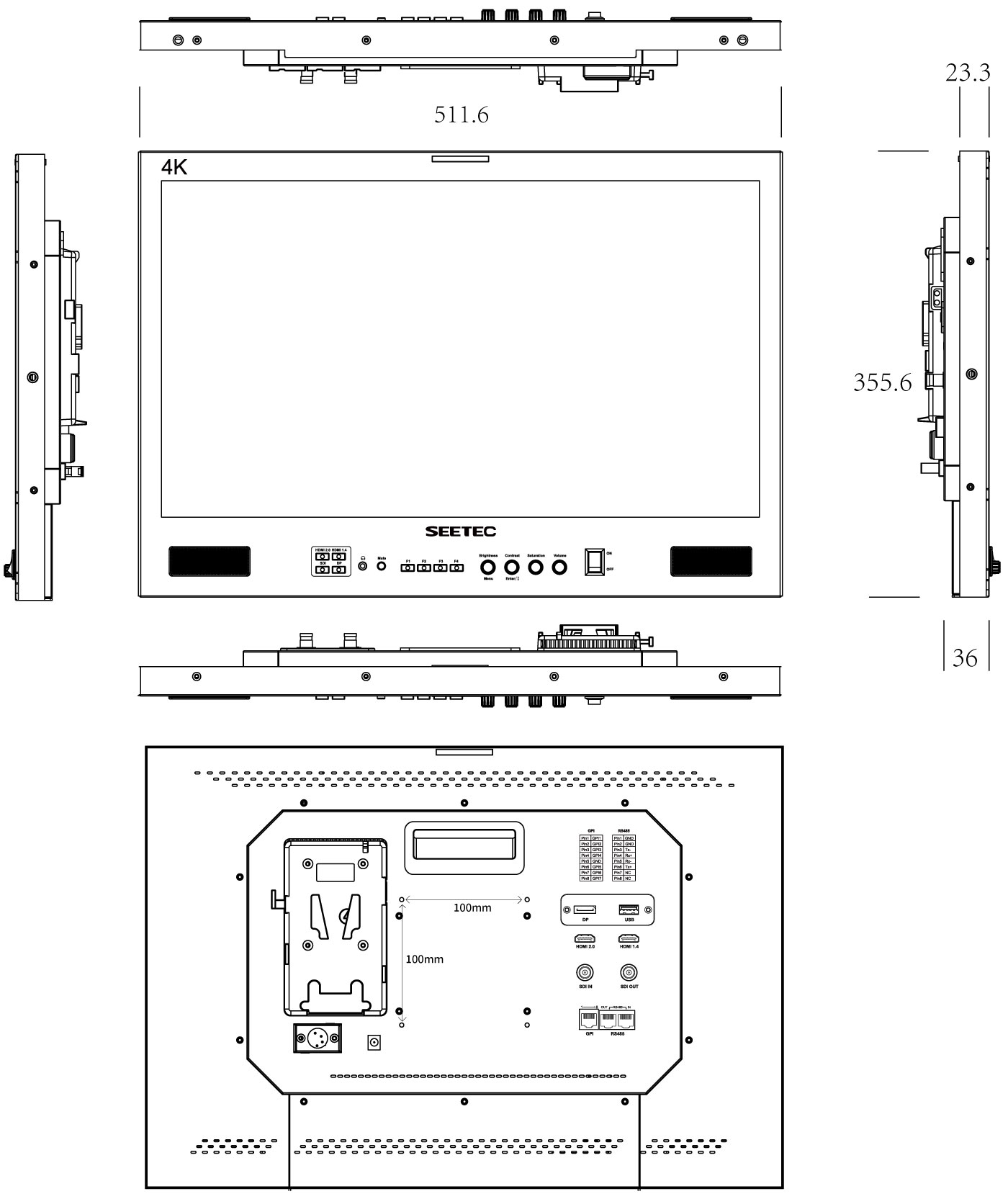
| Unit Size | 511.6Lx355.6Hx36D (mm) (W/O stand feet) |
| Unit Weight | 4.4kg |
| Outer Carton Qty | 2 |
| Outer Carton Size | 625*288*520 (mm) |
| Gross Weight | 13kgs |
| * Built-in Multi camera Delog LUTs |
| * User 3DLUTs upload via USB (Store up to 16) |
| * Support GPI control |
| * Support dynamic IMD, support TSL 3.1/4.0 and IMAGE VIDEO protocol |
| * Support OSD TALLY and LED TALLY |
| * Support 16-ch embedded audio meters display |
| * Histogram |
| * Focus Assist (Red, Green, Blue three colors optional highlight over parts of the image in focus) |
| * False Colors |
| * Over Exposure (Exposure IRE Adjustable) |
| * Timecode Display (LTC & VITC) |
| * Picture in Picture (Adjustable Horizontal or Vertical Wipe Position) |
| * Over Scan |
| * Anamorphic Mode (1.3x, 2.0x, 2.0x mag, User-defined adjustment: 1.20X~2.00X) |
| * Pixel to Pixel |
| * Center Marker |
| * Safety Marker (80%, 85%, 90%, 93%, 96%) |
| * Ratio Marker (4:3, 13:9, 14:9, 15:9, 16:9, 1.85:1, 2.35:1, 1:1) |
| * Marker Color (Red, Green, Blue, Black, White) |
| * Aspect Ratio (Auto, 4:3, 16:9, Full Screen) |
| * Check Field (Colorless, Red, Green, Blue) |
| * Image Freeze |
| * Window Rotation (90°, 180°, 270°, H-Mirror, V-Mirror) |
| * Adjustable Gamma Selection (1.8, 2, 2.2, 2.4, 2.6, SRGB, ITUBT.1886) |
| * Selectable Color Temperature Presets |
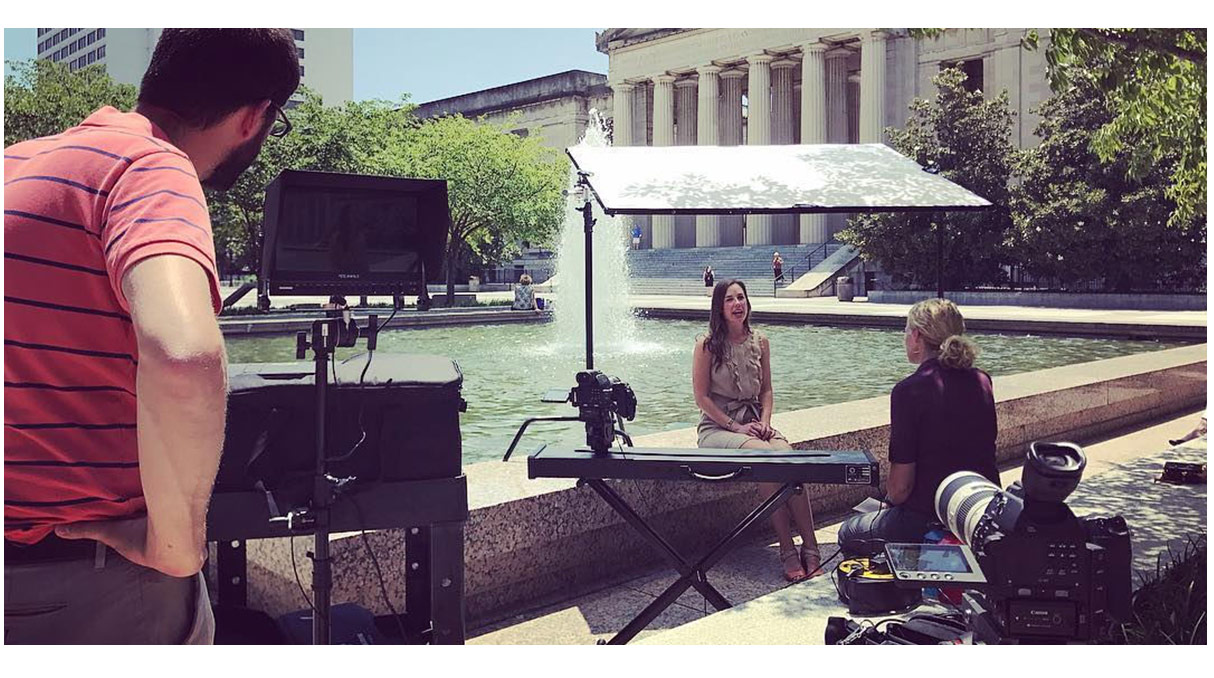
Broadcast monitoring for live production, broadcast and post production
SEETEC FS215-S4K is an incredibly versatile monitor packed with features support SD/HD/3G-SDI and Ultra HD 4K HDMI 2160p, that make it perfect for broadcast and post! Mount it in a rack or hang it on a wall using a standard VESA mount. Support both external batteries, 12V DC power and XLR power, you can install it anywhere! Use external batteries on set, or plug it into standard power in your news rooms, vans, and post facilities.
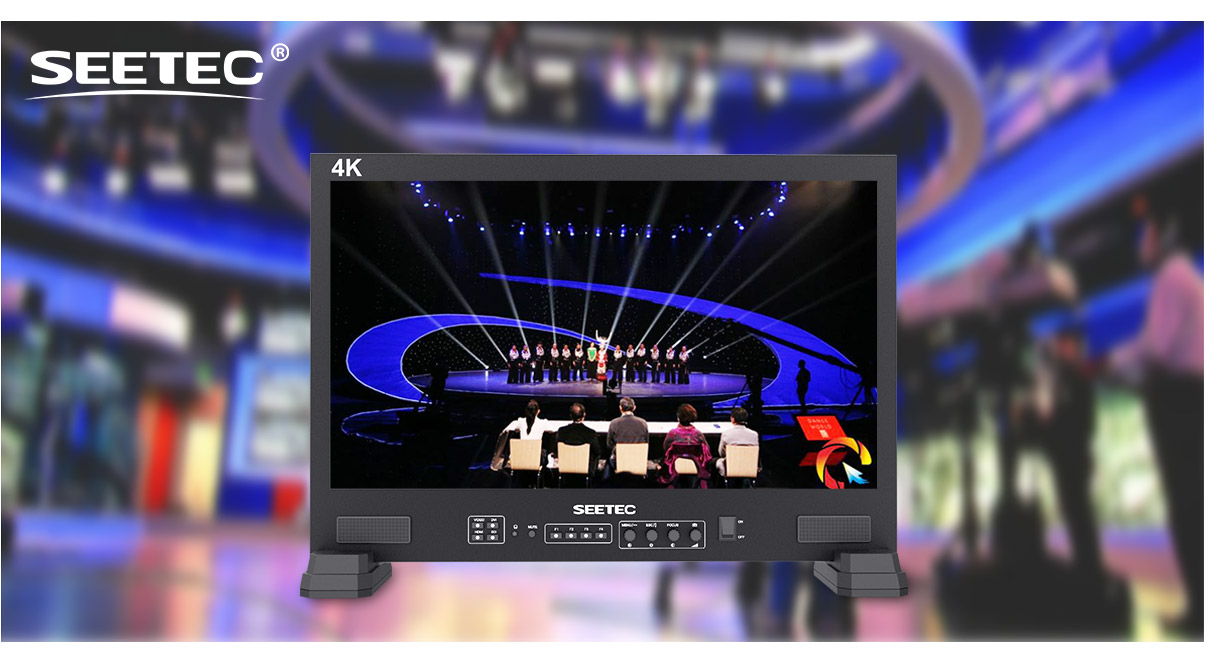
The ideal rack mount monitoring solution for broadcasters
When you're working on a multi camera studio production, you need to see all of your sources, graphics, keys and program displays at the same time. FS215-S4K supports UMD and Text-Tally display of TSL 3.1/4.0 protocol, with 0-126 TSL address selection, and Max 16 letters displayed. The amazing clarity of the Full HD resolution screen means you can easily check focus and watch for color consistency across all of your cameras!
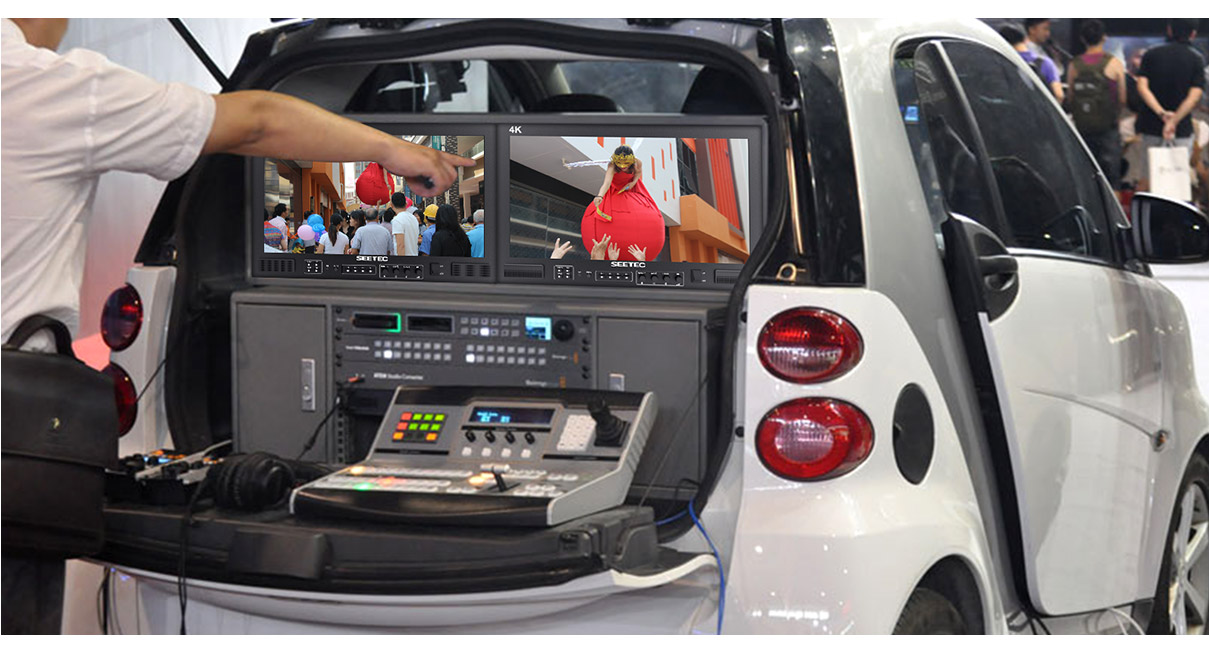
Incredibly thin mount design for when space is tight!
SEETEC FS215-S4K is ideal for the limited space in broadcast news trucks. Its super thin design, so it fits in the shallow racks mounted on the inside walls of news vans and trucks. You get both external battery, DC power and XLR power, flexible use it anywhere. There are even built in safe frame guides that make it easy to see safe picture area during live production.
Unique design for high efficiency
Optional assembly of portable aluminum case, can effectively protect the monitor and easy to carry and transport, suitable for harsh shooting environment.
Time and Costs are important for film crews. This becomes more obvious if there are frequent scene changes during production. The SEETEC FS215-S4K is based on how monitors are being used by film crews. Whether packing down or setting up a simplified design makes this monitor ready for use quickly. There are no complex setup processes to go through.
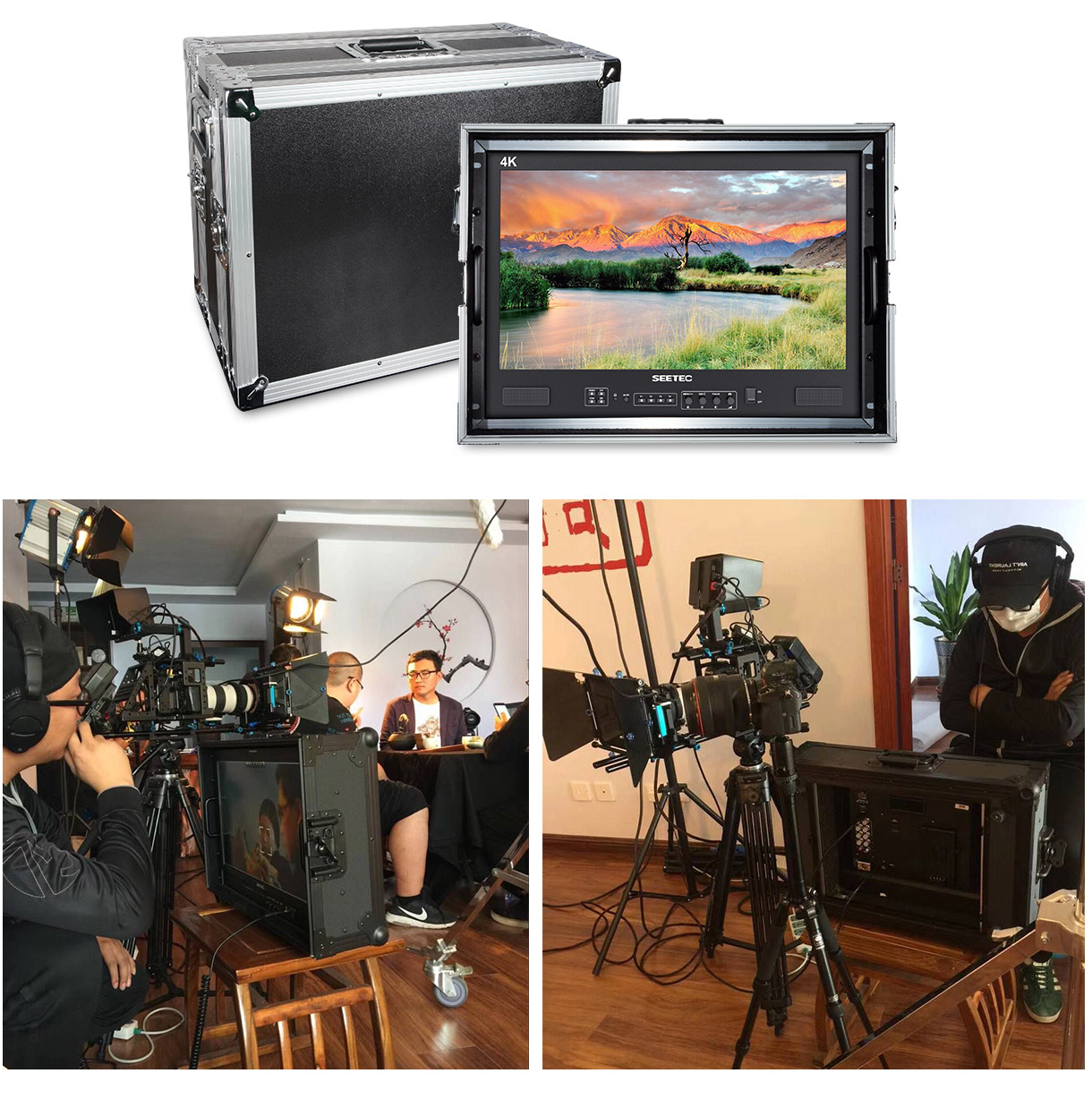
Now it's easy to get perfect focus and framing, everyone can see!
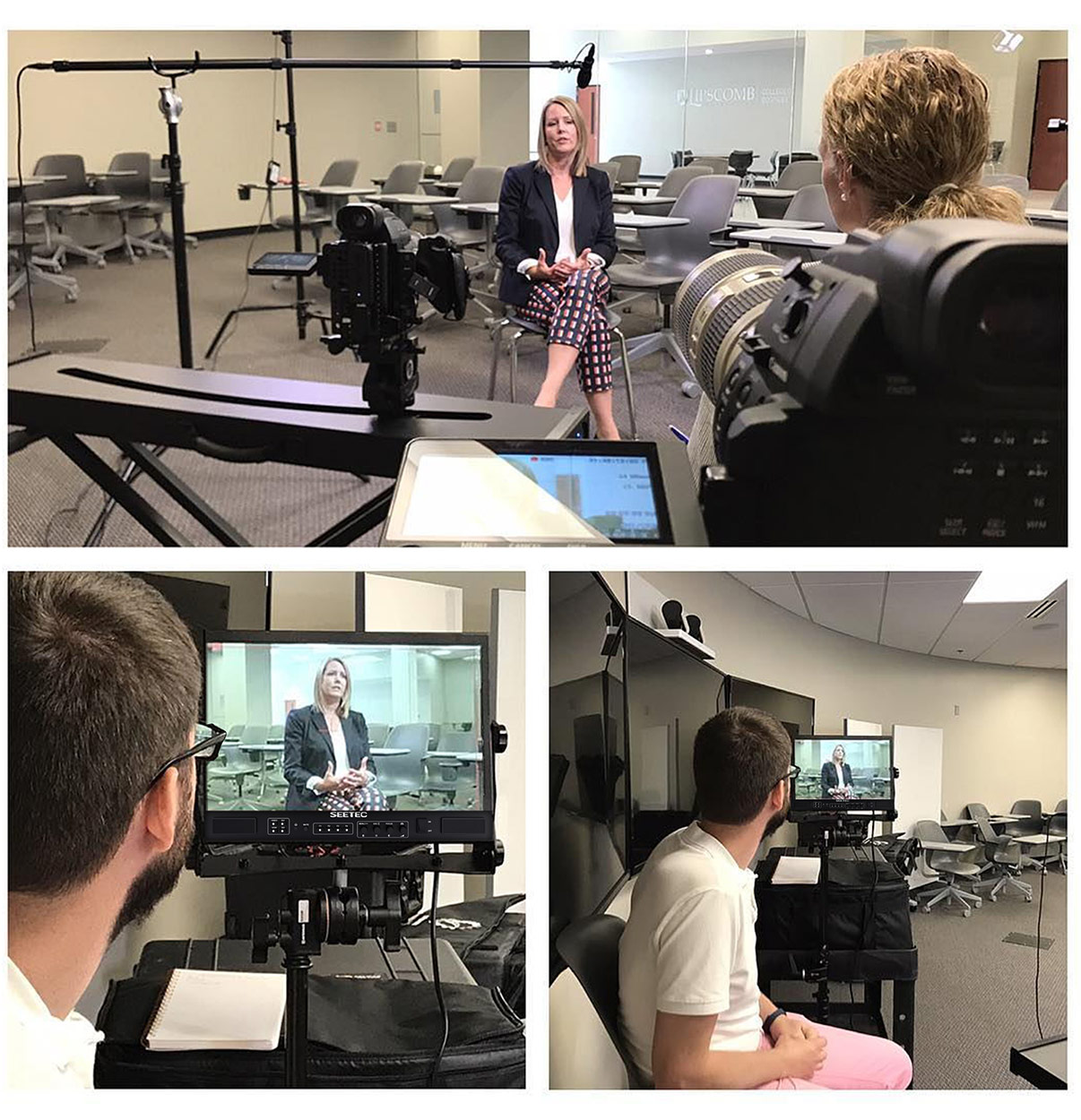
You get SEETEC FS215-S4K monitor, that's 21.5 inch large enough and full resolution allows you to see image every pixel, and with safe frame helpful for composition during shooting or title placement, ideal for the entire crew to see and tools such as peaking focus assist for focus accurately are ideal for camera assistants.
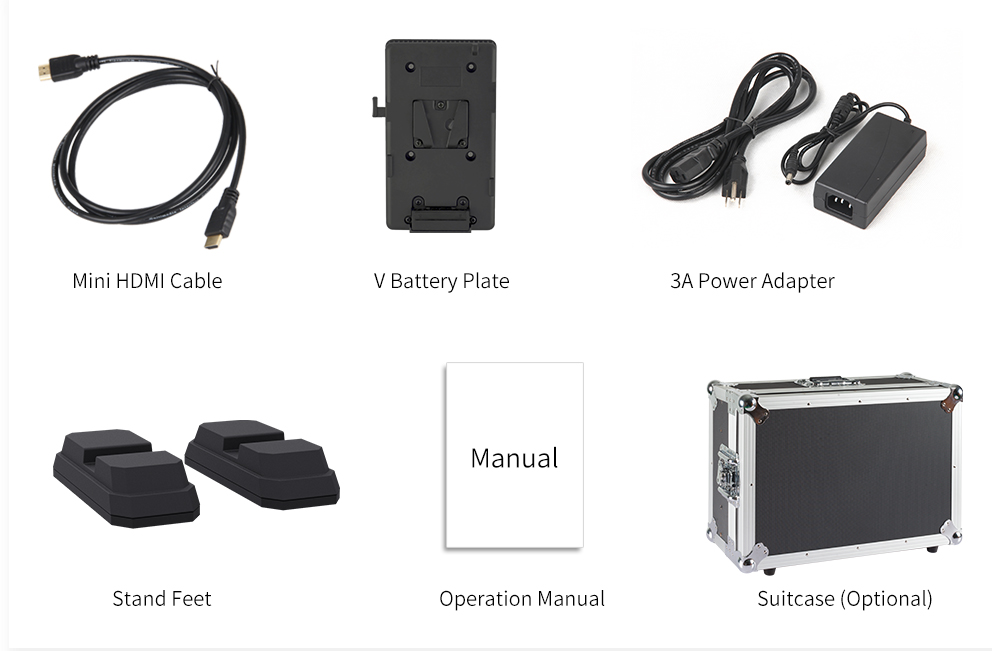
Standard Accessories:
1× Mini HDMI Cable
1× V-mount Battery Plate
1× 3A Power Adapter
2× Stand Feet
1× Operation Manual
Optional Accessories:
1× Suitcase